use cases
Warehouse Wi-Fi that reaches the work.
A scanner belongs beside the pallet, wherever that pallet needs to go. Aura Wireless helps extend warehouse Wi-Fi through working areas with Apogee antennas, giving teams more room to organize receiving, picking and shipping around the operation. Start with the devices, loaded racks and daily routes. Then compare the coverage plan and the cost of installing it.
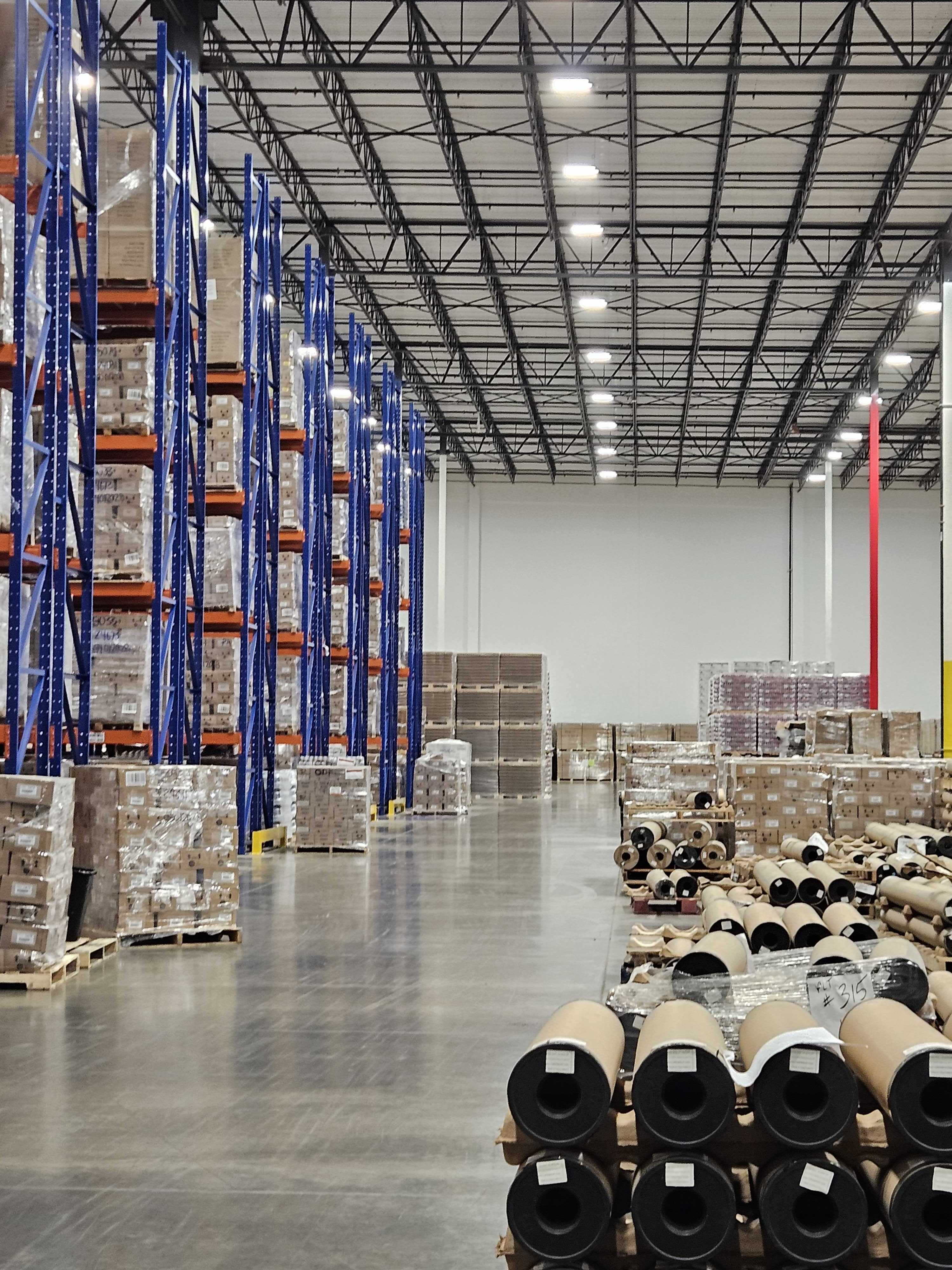
Keep the scan with the pallet
A connection gap can send a worker looking for a place to finish an update. Map the aisles, staging lanes and dock areas where people actually scan. Those locations give a coverage project a practical purpose and a way to judge the result.
Count the installation work
Access points are one part of the budget. Include cabling, power, mounting access and ongoing maintenance in the comparison. A design with fewer AP locations can reduce that work, provided it still meets the building’s coverage, capacity and resilience requirements.
Plan for a working warehouse
Loaded racks, metal equipment and changing inventory affect radio paths. Include the expected rack heights and stock conditions in the plan. Check performance with the handhelds and vehicle terminals used on the floor, along the routes that matter during a shift.
What Legendz Way achieved
Legendz Way covered 730,000 square feet with four access points and four Apogee antennas, compared with a traditional design calling for 40–45 access points. Its five-year cost model projected an 83% reduction in cost. That projection belongs to the Legendz deployment and its comparison assumptions.
The operational value was a floor plan with more freedom to place work where it belonged. For another warehouse, the useful next step is to compare complete designs serving the same areas and devices. Keep projected costs separate from savings measured after installation.
Read the Legendz Way caseThe scanner’s signal back to the access point
Warehouse Wi-Fi is a two-way conversation. The access point sends information to the scanner, and the scanner sends a reply. A strong signal on a handheld does not establish that the network can hear its lower-power transmission from the same location.
Apogee’s Asymmetric Gain addresses that receive-side challenge. Apogee works with a suitable access point and antenna configuration to extend usable coverage. The AP still handles device connections, and the rest of the network carries the information to warehouse applications. Broader antenna coverage does not increase the AP’s concurrent-session limit.
When a scanner drops, check the cause before buying hardware. Coverage, roaming, device settings and application or network problems need different remedies. A coverage assessment should identify where the radio link is limiting the work.
Explore how Apogee worksChoose the model around the space
Apogee 180 MP is a model to evaluate for reflective indoor environments such as racked warehouse areas. For adjacent outdoor space, compare Apogee 180 and Apogee 360 against the coverage direction and mounting opportunities. The required bands, external RF connections, radio chains and power arrangement must match the selected equipment.
The yard deserves its own attention. In Aura’s distribution-center case, coverage from the campus gates to the delivery bays let drivers receive assignments before parking. Warehouse crews spent less effort correcting misplaced freight. Include those arrival routes when the indoor workflow depends on what happens outside.
Read the distribution-center caseWarehouse Wi-Fi questions
What information helps assess warehouse scanner coverage?
Provide a floor plan, rack heights, expected stock conditions and the routes followed by scanners or vehicle terminals. List the device and access-point models, supported bands and applications. Mark where a scan fails or a device reconnects. Those details help separate a coverage problem from other causes and guide placement.
Can existing access points be used with Apogee?
Compatible access points with suitable external RF connections can be considered for an Apogee design. The specific model, operating bands, radio-chain allocation and installation requirements need to match. Review the current equipment list with Aura and the integrator before deciding which APs to retain.
Does a lower AP count mean less capacity?
AP count affects the resources available to serve traffic, so a warehouse design must check both coverage and capacity. Apogee can extend an AP’s coverage contribution but does not increase its concurrent-session limit. Plan for the number of active devices, their applications and the required resilience before reducing AP locations.
How should a warehouse compare the financial options?
Compare complete designs against the same operational requirements and time period. Include equipment, installation, cabling, power and maintenance assumptions. Legendz Way’s 83% projected five-year cost reduction is one documented cost model. Keep that projection tied to its site rather than using it as a promised saving for another building.
How does RF modeling fit into a warehouse project?
RF modeling predicts coverage using the building layout, mounting positions, equipment and device requirements. It helps evaluate a proposed placement before installation. Field checks with the actual devices then establish how the installed system performs in working conditions.
Continue your site assessment
Discuss your warehouse Wi-Fi.
Share the rack layout, scanner models, busy areas and delivery routes. Contact Aura to discuss the coverage requirements, or find a partner to help plan the installation.