apogee180mp
Wi-Fi for steel racks and reflective interiors
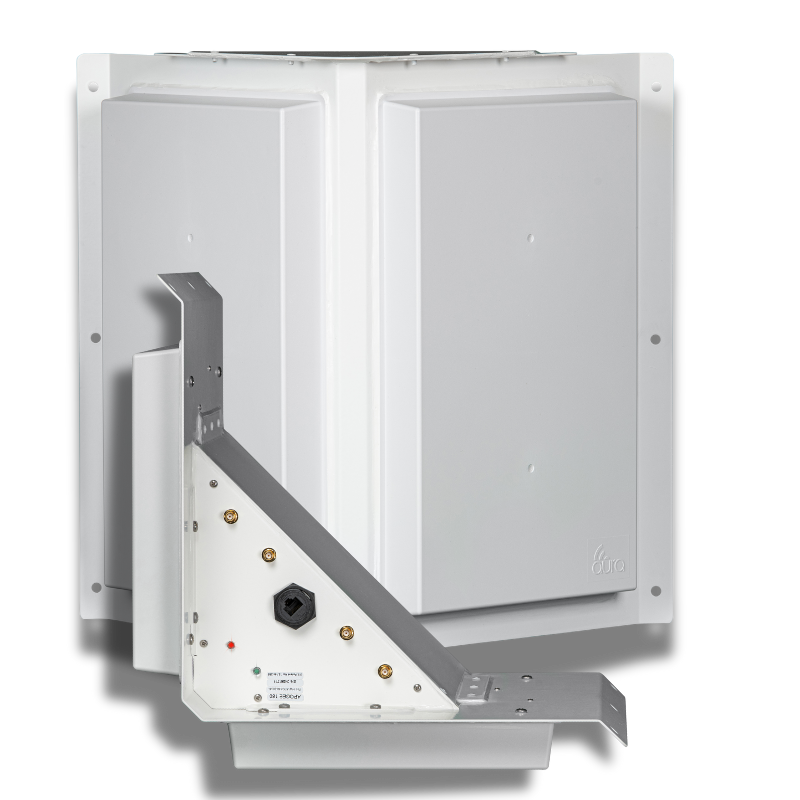
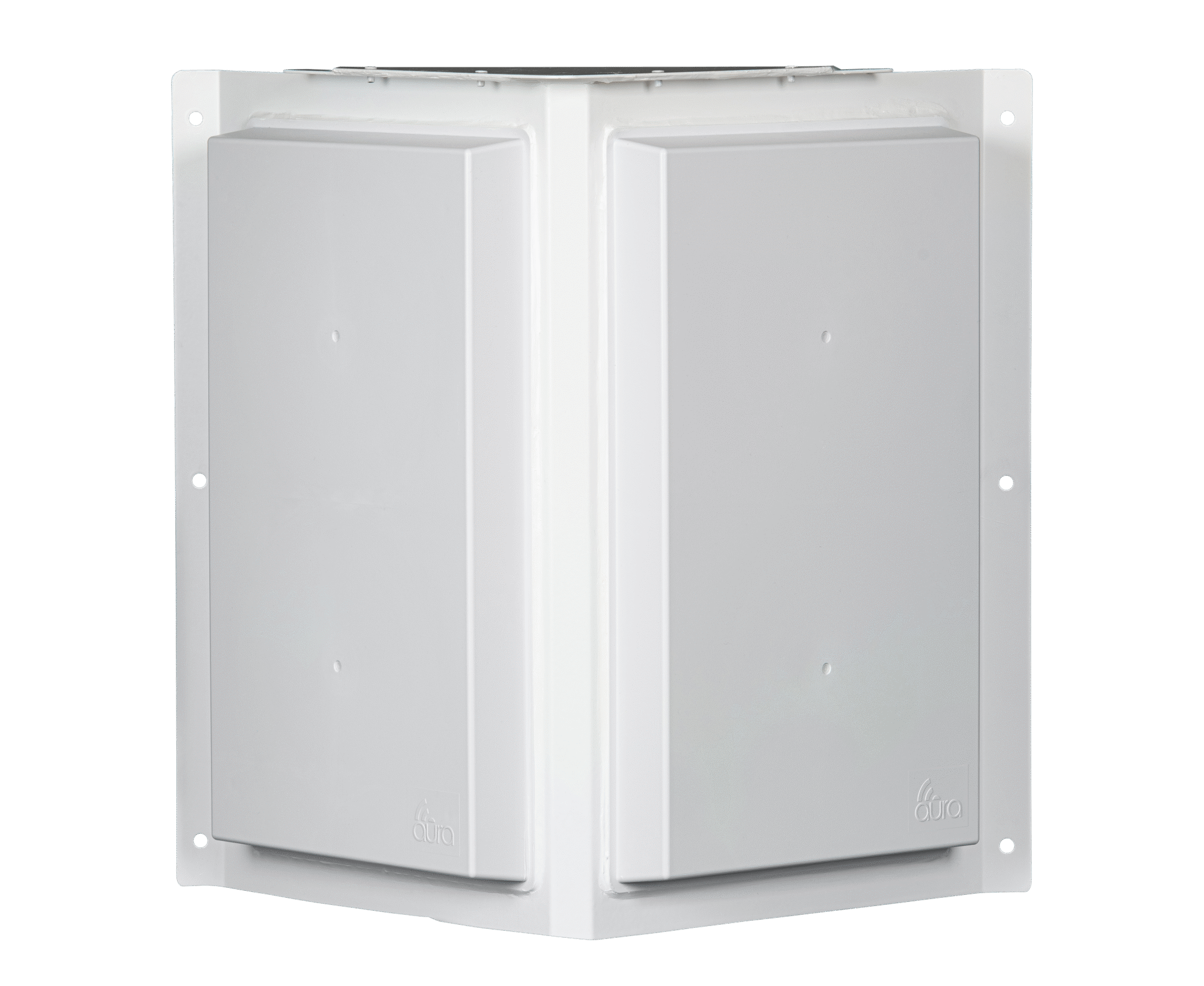
Metal racks, machinery and building surfaces can reflect a wireless signal along several routes. Apogee 180 MP is designed for those conditions. Its two-panel, hybrid-polarity antenna works with a compatible access point to support devices across a broad directional area.

Built for reflected signals
In a warehouse, a scanner can move from an open aisle into a space surrounded by steel and stock. Signal reflections change along that route. The 180 MP uses Hybrid Polarization to help address fading caused by reflected signals.
That makes it a model to evaluate for high-bay racking and industrial interiors. Antenna selection still needs to account for aisle direction, inventory, mounting and the devices in use. Test the routes people and equipment follow during a working shift.
Reflections in working aisles
Hybrid Polarization addresses a signal problem common around metal. It does not remove the need to check coverage behind stock, through racks and along moving routes.
Reception from smaller devices
Scanners and sensors have their own transmit limits. Apogee amplifies the signal it receives, helping a compatible access point hear their replies.
Installation costs you can compare
Assess the antenna, access point, cabling, power and maintenance together. Fewer installation locations can reduce cost when the design still meets coverage and capacity needs.
Coverage in the toughest RF environments
Inside apogee180mp
Apogee 180 MP shares the 180 body and directional layout. Its hybrid-polarity design is the distinction for sites with difficult reflections. It is powered and unmanaged, with the access point providing the Wi-Fi service.
Antenna layout
- 180° / two 90° panels
- 2.4 GHz and 5 GHz Wi-Fi
- Receive gain: 25–26 dBi
Connected equipment
- 4 external RF ports
- Compatible radios with external antenna connections
- Powered, unmanaged
Installation planning
- Match radios and panels to the coverage zones
- Confirm RF cables, power and mounting for the hardware revision
- Check capacity and test with the intended client devices
- Beamwidth
- 180°
- Polarities per panel
- 2 polarities
- Weight
- 6 lbs

Apogee 180 MP product specifications
| Supported bands | 2.4 GHz and 5 GHz Wi-Fi |
|---|---|
| Receive gain | 25–26 dBi |
| Transmit antenna gain | 9 dBi |
| Panel arrangement | 180° / two 90° panels |
| External RF ports | 4 external RF ports |
| Polarization | Dual/hybrid polarity |
| MIMO | 2x2 per panel; confirm radio and panel allocation |
| Configuration | Powered, unmanaged |
| Power | PoE; confirm the supported source for the hardware revision |
| Maximum RF input | Up to 1 watt |
| Dimensions and weight | 17 × 6 × 17 in; 6 lbs |
| Environment | -40 C to +60 C |
planning the investment
Count the work around each access point.
01
Cabling and power
Each access-point location may need a cable route and a power connection. Include that work when comparing the installation costs of two coverage designs.
02
Mounting and access
Poles, lifts and access to operating areas can add to installation costs. A design with fewer equipment locations may reduce that work.
03
Maintenance
Equipment needs attention over its service life. Compare licensing, replacement access and maintenance alongside the purchase price.
04
Coverage and capacity
Keep the required devices and users in the comparison. A lower equipment count is useful when the network still supports the work it was built for.
faq
Questions about Apogee 180 MP
What does MP mean on Apogee 180 MP?
MP refers to multipath: a wireless signal reaching a receiver by more than one route after reflecting from surfaces. Apogee 180 MP uses a hybrid-polarity design for environments where those reflections can cause signal fading.
Is Apogee 180 MP intended for warehouses?
Apogee 180 MP is a model to evaluate for warehouses with steel racks, high bays and reflective interiors. Fit depends on aisle layout, stock, mounting and client devices. A warehouse design should verify working routes and user capacity as well as coverage.
Does Hybrid Polarization track devices automatically?
The 180 MP is a powered, unmanaged antenna with a hybrid-polarity design. It should not be treated as a device-tracking or automatically aiming system. Its placement and the connected radio configuration are part of the installation.
Will the antenna fix every dropped scanner connection?
A scanner can lose its connection because of coverage, capacity, roaming behavior or a device configuration issue. Apogee 180 MP addresses the antenna side of the design. Diagnose the actual problem and test the scanner models before deciding on equipment.
What does an installer need to confirm?
Confirm the access-point model, external antenna connections, supported bands, mounting position and power source for the selected hardware revision. A switch or injector should be checked against that hardware’s installation requirements.
plan your coverage
Tell us where your devices need to work.
Talk with Aura about the antenna options, or find a partner to help plan and install your network.